ReelFeltStart Your ReelFelt

ReelFelt

Set up ReelFelt around the relationships you want to preserve

A guided start helps new members create a recognizable identity and understand how private questions and invitations work.
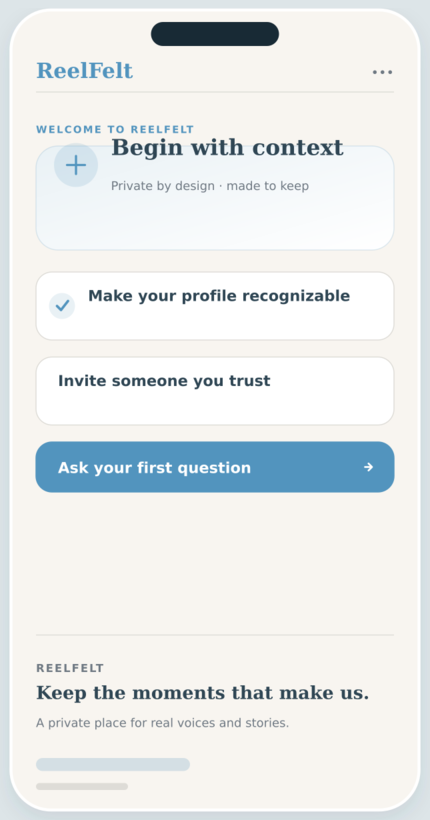
Private Onboarding screen in the ReelFelt app
Private Onboarding in ReelFelt

How private onboarding works

  1. Create an account and verify the required sign-in details.
  2. Complete the guided profile and introduction steps.
  3. Invite someone you trust or send your first meaningful question.

Questions about private onboarding

Does onboarding publish anything?

No. Completing onboarding does not make private conversations public.

What can I do after onboarding?

You can invite someone you trust or send your first meaningful question from the app.

The first few minutes should make privacy, purpose, and the next step clear.

A guided start helps new members create a recognizable identity and understand how private questions and invitations work.

Why it matters

  • Create the basic profile information your family will recognize.
  • Learn how questions, responses, and trusted connections fit together.
  • Move into the app with a clear next action.

Keep exploring

Download ReelFelt for iPhone

Scan the QR code or open the direct App Store link.

QR code to download ReelFelt from the Apple App Store

Download ReelFelt on the Apple App Store